How to Reprint Your JAMB Registration Slip 2026
How to Reprint Your JAMB Registration Slip 2026 is a common question for candidates who want to know their exact exam date, time, and centre for the UTME. The Joint Admissions and Matriculation Board (JAMB) provides an online portal where all registered candidates can easily reprint their JAMB examination slip.
This slip contains your JAMB registration number, exam schedule, venue, and other important details you must present at the CBT centre.



JAMB Slip Reprint Portal 2026
To reprint your JAMB registration slip for 2026, you will use the official JAMB examination slip printing portal. The reprint process is done online and can be accessed with your registration number, email address, or phone number used during registration.
Make sure you have a good internet connection and a printer (or access to a cybercafe/CBT centre) before starting the process.
How to Reprint Your JAMB Registration Slip 2026 Online
Follow the steps below to reprint your JAMB registration slip through the JAMB e‑Facility:
-
Visit the JAMB exam slip printing portal:
https://portal.jamb.gov.ng/ExamSlipPrinting/PrintExaminationSlip -
In the space provided, enter one of the following:
-
Your JAMB registration number, or
-
The email address you used for JAMB registration, or
-
The phone number linked to your JAMB profile
-
-
Click the “Print Examination Slip” or “Re‑Print Your Slip” button.
-
Your JAMB registration slip will display on the screen with your:
-
Exam date
-
Exam time
-
Exam venue/centre
-
JAMB subject combination
-
JAMB registration number
-
-
To print the slip:
-
Click the print icon on the page, or
-
Press “Ctrl + P” on your keyboard and select your printer.
-
-
Print at least 2–3 copies and keep them safe for the examination and future reference.
How to Reprint JAMB Registration Slip at a CBT Centre
If you cannot reprint your JAMB slip yourself, you can use an accredited JAMB CBT centre or a trusted cybercafe:
-
Visit any accredited JAMB CBT centre or a reliable registration centre near you.
-
Tell the operator that you want to reprint your JAMB examination slip.
-
Provide your registration number, email address, or phone number used for JAMB registration.
-
The operator will access the portal and print your slip for you for a small service fee.
-
Make photocopies of the printed slip immediately so you have backups in case one gets lost.

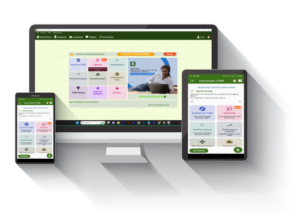
JAMB Reprint Date 2026
The reprinting of JAMB examination slips usually starts about a week before the commencement of the UTME. Candidates are advised to start checking and reprinting their slips as soon as the reprint window opens to avoid last‑minute rush.
The JAMB examination slip shows:
-
Your exact exam date
-
Your exam time (session)
-
Your examination centre/venue (JAMB CBT centre)
-
Your subject combination
-
Your JAMB registration number
You must go to the exam centre with your printed slip on the scheduled date and time.
How to Retrieve JAMB Registration Number 2026
Your registration number is very important for reprinting your JAMB slip, writing the UTME, and checking admission status. If you have misplaced or forgotten your JAMB registration number, you can retrieve it using any of the options below:
-
Through your JAMB profile (e‑Facility/CAPS):
Log in to your JAMB profile and check under your UTME details or CAPS page to see your registration information. -
Through the JAMB exam slip printing portal:
Use your registered email address or phone number on the JAMB slip reprint portal. Once the slip appears, your registration number will be displayed on it and you can print it. -
At a CBT centre or cybercafe:
Visit an accredited CBT centre and request for help retrieving and printing your slip using your email or phone number.
JAMB Examination Rules on the Exam Day
Candidates must obey all JAMB rules and regulations at the examination centre. Below are key items and rules to note:
-
Do not take any of the following items into the examination hall:
Wristwatch, mobile phone, electronic devices, pen/biro, key holder, ATM card, eraser, bangles, rings, necklace, or similar items. -
You must keep a copy of your printed JAMB slip for reference.
-
Biometric (thumbprint) verification is compulsory at the examination centre.
-
If you do not sit for the exam on the date and time specified on your slip, you will be marked absent and you will lose the right to sit for that UTME.
-
There will be no change of UTME subjects at the examination centre.
JAMB Cut‑Off Mark 2026 and Other Useful Links
You can also check related JAMB information such as:
-
JAMB cut‑off mark 2026 for all universities, polytechnics, and colleges of education.
-
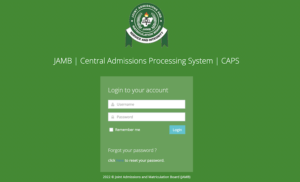
JAMB CAPS login portal to check admission status.
-
How to generate JAMB profile code using your NIN.


(Keep or link these sections from your existing posts as internal links for better SEO.)
🔗 WAEC Updates 2026 — Results, Timetable & Registration
🔗 NECO Updates 2026 — Timetable & Results
🔗 NYSC Portal 2026 — Registration & Login
🔗 Browse All Education Updates
Disclaimer
Recruitngr provides verified recruitment information to millions of Nigerians. This page is independently researched, not affiliated with any government agency. Apply only via the official portal above. On the other hand, we will not ask for money for any information we provide here.
the reprint of slip cant be accessed, its saying ‘404 error finding resources’
ASB Bank Ltd