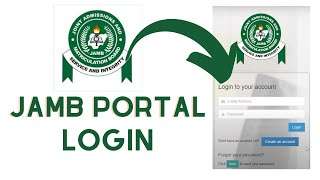
The official website to check JAMB 2026 UTME results is the JAMB e‑facility portal at portal.jamb.gov.ng/efacility. This is different from older links that many candidates still try to use, such as jamb.org.ng, which no longer works for result checking.
The JAMB e‑facility portal allows you to:

-
Log in and view your UTME scores.
-
Print your original JAMB result slip (when activated).
-
Check admission status and later accept or reject admission via CAPS.
Knowing the correct link and procedure will save you time and help you avoid fake result sites.
Correct JAMB 2026 Result Checking Link
For 2026 UTME candidates, the only correct portal to check your result is:
-
JAMB e‑facility URL:
https://portal.jamb.gov.ng/efacility
Key points:
-
Old links like jamb.org.ng or redirects that add strange characters/underscores should be ignored.
-
Always type the link carefully in your browser address bar or use a trusted bookmark.
-
Only the official e‑facility portal will request your JAMB registration details securely.
Step‑by‑Step: How to Check JAMB Result 2026 Online
Follow these steps to check your 2026 UTME result using the JAMB e‑facility portal:
-
Open your browser (Chrome, Safari, Firefox, etc.) on your phone or computer.
-
Type portal.jamb.gov.ng/efacility and press enter.
-
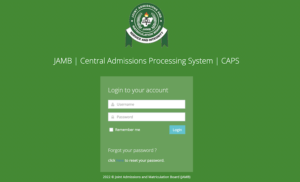
On the e‑facility login page, enter:
-
The email address you used for JAMB registration, and
-
Your JAMB password.
-
-
Click Login to access your dashboard.
-
On your e‑facility dashboard, look for an option such as “Check UTME Result” or similar.
-
Click it, then enter your JAMB Registration Number (and exam year if requested).
-
Click Check Result and wait for your result page to load.
-
Your total score and subject scores will be displayed. You can then screenshot, save, or print it.
You usually do not need a scratch card to view your basic JAMB result; you only need your login details and registration number. When the “Original JAMB Result Slip” service is enabled, one may require a small online payment.
Alternative Ways to Check JAMB 2026 Result
Depending on what JAMB activates in a given year, you may have:
-
SMS method:
-
In previous years, candidates could send a simple SMS with their registration number or a keyword (like “RESULT”) to a designated short code using the same phone number used during registration.
-
If JAMB reactivates this method, they will publish the exact code and format.
-
Network charges may apply.
-
-
CBT centre/café:
-
You can go to any trusted CBT centre or cyber café and ask them to help you log in to portal.jamb.gov.ng/efacility and check/print your result slip.
-
Make sure they use the correct portal and do not save your password without your consent.
-
Your article can briefly mention these as alternatives, but emphasise that candidates should protect their JAMB profile login and not share it carelessly.
Why Old JAMB Links No Longer Work
Many candidates still try jamb.org.ng and get errors. You can clarify:
-
JAMB has migrated result checking and e‑services to the portal.jamb.gov.ng/efacility address.
-
The older domains may no longer open or may redirect incorrectly.
-
Any site that is not on the official jamb.gov.ng domain should be treated as suspicious.
If a candidate’s browser keeps redirecting to a strange URL (e.g., with extra underscores or random paths), they should:
-
Clear browser history/cache.
-
Type portal.jamb.gov.ng/efacility manually again.
-
Avoid clicking “sponsored” result‑checking ads from search engines.
What You Need Before Checking Your Result
Tell readers to get these ready:
-
JAMB Registration Number or email used for registration.
-
Password for their JAMB profile/e‑facility account.
-
A stable internet connection and enough data to load the portal.
-
A device with a browser (smartphone, tablet, or PC).
If they have forgotten their password, they can use the “Forgot Password” option on the e‑facility login page to reset it, using their registration email or phone.
Common Issues and How to Fix Them
You can add a short troubleshooting section:
-
Portal not opening / “This site can’t be reached.”
-
Check your data connection.
-
Confirm you typed portal.jamb.gov.ng/efacility correctly.
-
Try another browser or device.
-
-
Wrong email or password
-
Make sure you are using the same email used during JAMB registration.
-
Use “Forgot Password” to reset if necessary.
-
Avoid letting agents or cafés change your login without telling you.
-
-
Result not yet released / “No result yet.”
-
Sometimes JAMB releases results in batches.
-
Advise candidates to wait a few hours or days and check back.
-
They should also monitor official JAMB announcements for updates.
-
-
Page loads, but the result is blank
-
Refresh the page or log out and log in again.
-
Try another browser or check at a CBT centre if the problem persists.
-
Link to Check JAMB 2026 Result
In your article, keep the key call‑to‑action clear and repeated:
For 2026 UTME candidates, the correct link to check your result is:
https://portal.jamb.gov.ng/efacility
You can also remind users:
-
The main JAMB website address (e.g., jamb.gov.ng) may provide news and announcements.
-
The actual result checking is done through the e‑facility portal.
Important Notes for JAMB 2026 Candidates
To round off the article, add a short bullet list:
-
Do not use cyber cafés or agents that ask for your JAMB password and then keep it.
-
Always verify that the site address is exactly portal.jamb.gov.ng/efacility before entering your details.
-
Keep a printed copy of your result slip; it will be needed later for admission screening and post‑UTME.
-
Follow JAMB’s official social media pages and website for new instructions, especially if you haven’t seen your result yet.


🔗 WAEC Updates 2026 — Results, Timetable & Registration
🔗 NECO Updates 2026 — Timetable & Results
🔗 NYSC Portal 2026 — Registration & Login
🔗 Browse All Education Updates
Disclaimer
This is just a page that summarizes information, and as such, always check the official portal for news confirmation. On the other hand will try to keep the information correct and updated, and we will not ask for money for any information that we give out here.