How To Link Email to JAMB Portal 2026/2027 (Step‑by‑Step Guide) – If you wrote JAMB 2026/2027 and want to access your JAMB profile, CAPS, admission status, or result online, you must first link a valid email address to your JAMB portal. This process gives you a login email and password that you will use on the JAMB e‑facility website.
In this guide, you will see the correct SMS format, the official portal to log in after linking, and some important tips to avoid mistakes and email problems.

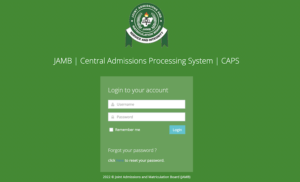

Why You Must Link Your Email to JAMB
JAMB announced that candidates must have a working email linked to their JAMB profile so they can:
-
Log in to the JAMB e‑facility portal (portal.jamb.gov.ng/efacility)
-
Access JAMB CAPS to check and accept/reject admission
-
Print JAMB result slip and admission letter
-
Receive important messages and passwords from JAMB in their inbox
During registration at CBT centres, many candidates did not use email for profile creation. Linking your email afterwards via SMS solves that problem and gives you full access to your JAMB dashboard.
How To Link Email to JAMB Portal 2026/2027 (SMS Method)
The easiest way to link your email is by using SMS on the phone number you used to generate your JAMB profile code.
Follow these steps carefully:
-
Use the same SIM you used for JAMB registration
-
Insert the phone number you used to get your JAMB profile code in your phone.
-
Make sure it has at least ₦50 airtime, because the service costs ₦50 per SMS.
-
-
Open your SMS app
-
Go to your message/compose screen.
-
-
Type the message in the correct format
-
Use this format:
EMAIL yourmail@gmail.com yourmail@gmail.com -
That is:
-
First type the word EMAIL (in capital letters or small, both usually work).
-
Put a space.
-
Type your email address (must be a working email you can log into).
-
Put another space.
-
Type the same email address again.
-
-
Example:
EMAIL recruitngr@gmail.com recruitngr@gmail.com
-
-
Send the SMS to 55019 or 66019
-
JAMB uses 55019 and 66019 as official shortcodes.
-
Use the one JAMB announces for that year (often 55019, but 66019 is also used).
-
Example: send
EMAIL recruitngr@gmail.com recruitngr@gmail.comto 55019.
-
-
Wait for JAMB’s reply
-
If successful, JAMB will send:
-
A confirmation message and
-
A password for your JAMB e‑facility account to the email you provided.
-
-
Sometimes you may also get an SMS acknowledging the linking.
-
-
Check your email inbox
-
Log in to the same email address you used in the SMS.
-
Look for a message from JAMB containing your e‑facility password.
-
Check your spam/junk folder if you do not see it in the inbox.
-

Once you receive the password, your email is now linked to your JAMB profile and ready to use.
Note: This service costs ₦50, so make sure you have enough airtime before sending the SMS.
How To Log In to JAMB Portal After Linking Your Email
After linking your email and receiving your password, you can now log in to the JAMB portal and CAPS.
-
Visit the official JAMB e‑facility portal
-
Go to: https://portal.jamb.gov.ng/efacility
-
-
Enter your login details
-
Email Address: the same email you linked via SMS
-
Password: the password JAMB sent to your email
-
-
Click on “Login”
-
You will be taken to your JAMB e‑facility dashboard, where you can:
-
Check UTME result
-
Access JAMB CAPS
-
Print original result slip (when the service is open)
-
Print admission letter (after you are offered admission)
-
Monitor all your admission activities
-
-
From your CAPS page, you will later be able to accept or reject admission offers from universities, polytechnics, and colleges of education.
Important Tips and Common Issues
-
Use a Gmail address if possible
Many JAMB and CAPS tutorials recommend Gmail (e.g.name@gmail.com) because it works smoothly with most systems. -
Do not use someone else’s email
Do not allow a café or agent to use their personal email for your JAMB account. Always create and use your own email that only you can access. -
What if I no longer have the phone number?
If you have lost the SIM you used to register for JAMB and can’t send the SMS from it, you may need to visit an accredited CBT centre to help you link your email directly to your profile. -
What if I linked the wrong email?
If you made a mistake and linked a wrong email or you can’t access the email you used, visit a CBT centre and explain the situation. They can guide you on possible corrections or recovery methods.
FAQ: JAMB Cut‑Off Mark 2026/2027 for All Universities
If you’ve already linked your email and checked your JAMB result, the next thing is to know whether your score can get you into a university.
To see the latest JAMB cut‑off mark for all universities (federal and state) for 2026/2027, including how it affects your choice of school and course, click here:
<<<<click>>>>


That page explains the official JAMB minimum for universities and how schools set their own higher departmental cut‑off marks.
Disclaimer
Recruitngr provides verified recruitment information to millions of Nigerians. This page is independently researched, not affiliated with any government agency. Apply only via the official portal above. On the other hand, we will not ask for money for any information we provide here.